
Mixed reality
The aim of this article is to understand Mixed Reality and implement a motor show application.
I started by configuring my machine by following the steps on this link : https://docs.microsoft.com/en-us/windows/mixed-reality/develop/install-the-tools?tabs=unity
Then I did the MRTK tutorials (https://docs.microsoft.com/en-us/windows/mixed-reality/develop/unity/tutorials/mr-learning-base-02) to get familiar with it before starting the project.
After creating a new project and a new scene, I added a ground and 5 cars to represent the motor show.

Then, I decide to add a Welcome text with a button that allows the user to start the visit. But we'll configure the button later on.

And I also added a panel allowing him to select the car that he wants to see, as well as a rating one. I used MRTK's buttons to allow the user to select what he wants.


But when clicking on the first button, we want the welcome text to disappear and the one with the cars to appear so we add the following events in the OnClick section of the interactable component of the button.

After choosing a car, we want the user to be guided to it so I used MRTK's chevrons. After adding a chevron for each car, I added a DirectionnalIndicator as follows :

When choosing a car, only the corresponding chevron appears and guides the user to the car.
After that, we want the user to be able to change the car's colour to his liking so I started by creating a simple script for each colour.
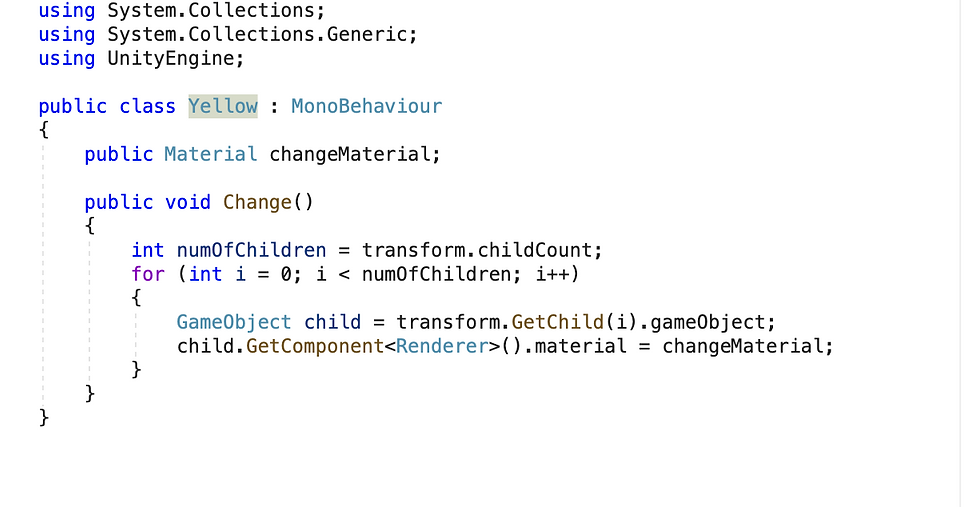
And for each car, we add the 4 colour buttons :

Finally, I added and exit button for when the user wants to stop the application and a canvas with a black image and an animation that makes the scene fade away when he clicks on the button.


So, when he clicks, all of the chevrons, the welcome text and the second text disappear. Only, the rating text and its buttons remain for the user to rate his experience before leaving the motor show.
Here is a video of the final result :
And the project can be found on Git : https://github.com/Yasminebelghith/Master-VAR


Commentaires